What's New

Last updated: August 10, 2026

Every update to Munra Journal, in plain language. New features, refinements, and fixes as they ship.

Version 2.6.0

LatestAugust 10, 2026

The largest update so far. Back up to a folder you choose, read a notebook straight through, track more than mood, and pick from three more themes. Munra Plus arrives as an optional subscription, and everything you have already written stays free to read, export and keep.

New

  • Back up automatically to a local folder you choose, alongside iCloud
  • Track energy, sleep and stress on your daily check-in, and watch them chart over time
  • Attach the place to an entry, automatically if you want
  • Read every entry in a notebook straight through, no date hunting
  • See all your pinned entries on one screen
  • Three more themes, Paper, Midnight and Clay, on a screen of their own
  • Two more fonts, including a handwritten one
  • Munra Plus, an optional subscription covering automatic backup, every theme and home-screen icon, and more

Improved

  • Take a photo without leaving the editor
  • Real undo while you write
  • Reminders anchored to your routine, like after coffee or before bed, instead of a bare clock time
  • Proof your last backup restores, plus a new-phone migration screen
  • Text size now applies everywhere in Munra, not just inside an entry
  • A calmer mood picker, redrawn with OpenMoji and laid out as chips
  • Text scales properly at every accessibility size
  • A quieter Home header. Your streak and word counts moved into Writing Insights, where the full history already lives

Removed

  • The daily word-count goal. Writing is no longer a target to hit, and your streaks and word counts carry on in Writing Insights

Fixed

  • Most text ignored the font you had chosen
  • The selected theme reset on every relaunch
  • Picking a theme during onboarding changed nothing
  • Missing translations on the AI and voice screens
Version 2.3.0

July 22, 2026

Notebook covers, paper-page scanning, and Journaling Suggestions arrive alongside a big round of polish.

New

  • Personalize notebooks with photo covers and stickers
  • Scan a paper journal page straight into an entry
  • Start an entry from Apple's Journaling Suggestions
  • Burn an entry to permanently let it go, with a fire animation
  • Lock notebooks behind biometrics
  • Export your journal as a PDF

Improved

  • The idle search screen shows your last search
  • Brighter mood check-in slider
  • A hint on the shelf shows how to reorder your notebooks

Fixed

  • Locked notebooks now export correctly after biometric unlock
  • Export respects the notebook you choose, not the one open on Home
  • The scanner reliably launches from the home-screen quick action
  • Typing only spaces no longer creates an empty entry

Version 2.2.0

July 17, 2026

Photos, rich text, and archiving arrive alongside a big round of polish.

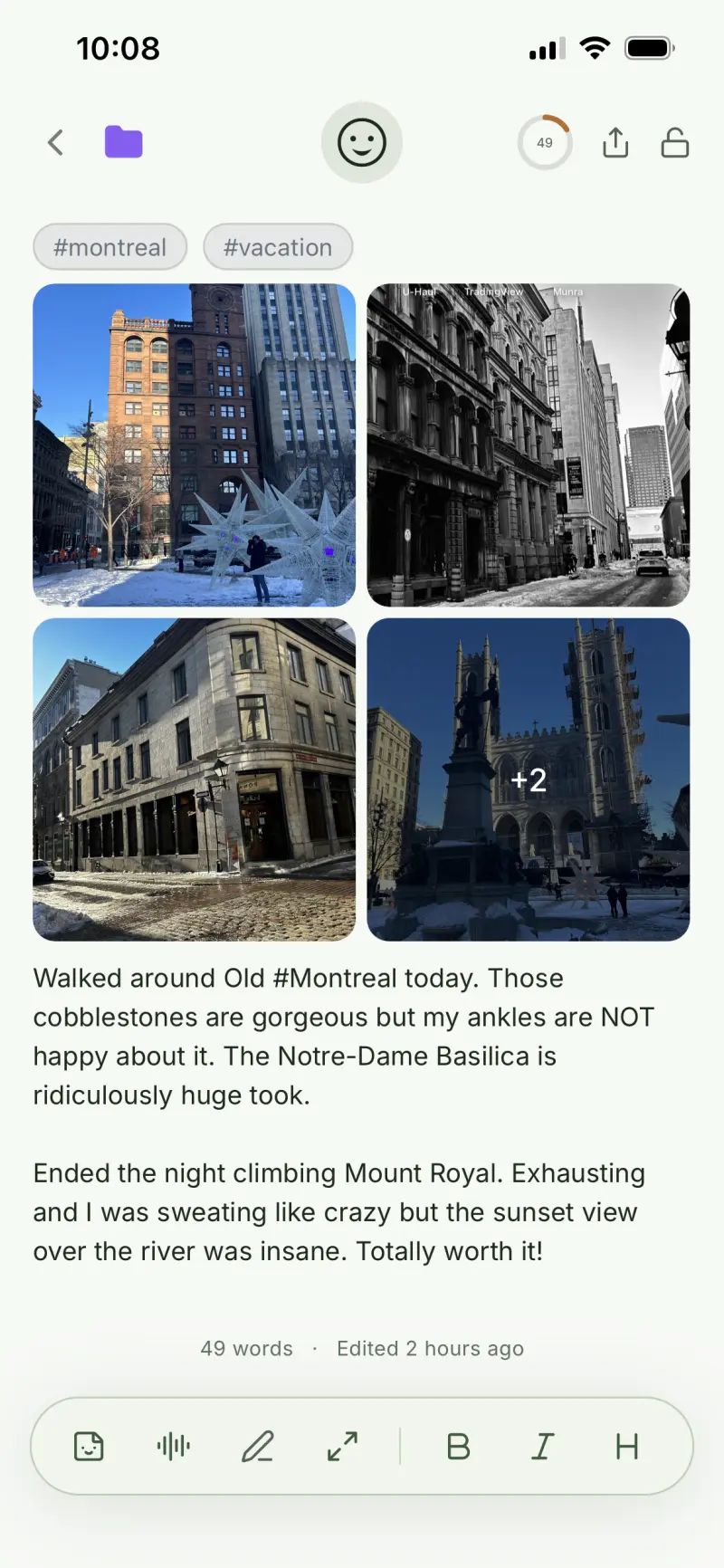
A Munra journal entry with a photo grid, tags, and formatted text

New

  • Add photos to your entries, with a full-screen zoomable viewer
  • Rich text formatting with bold, italic, checklists, quotes, and links
  • Archive entries and restore them anytime
  • Select multiple entries to move or delete in bulk
  • Writing stats for every entry
  • Eight alternate app icons

Improved

  • Smarter search with highlighted matches
  • Entry previews now reflect your text formatting
  • Calmer, single-colour mood icons
  • Folder and mood controls moved into the entry header
  • Export is now a quick menu

Fixed

  • Cursor lands in the right place after inserting a template
  • Claude API key verification works reliably

Version 2.1.0

July 10, 2026

Backup, tags, and export land alongside a round of polish.

New

  • Automatic iCloud backup
  • Full relational tag system
  • Export to Markdown or plain text

Improved

  • Templates chip moved to the top of the entry
  • Better mood-slider colours
  • Refined happiest-day insight
  • Cleaner settings copy and spacing

Fixed

  • Entry toolbar now scrolls properly
  • Consistent styling for the tag-management input
  • Top-hashtag counts are visible again
  • Audio playback works after a speech-to-text recording
  • Filtered tag no longer appears twice in search